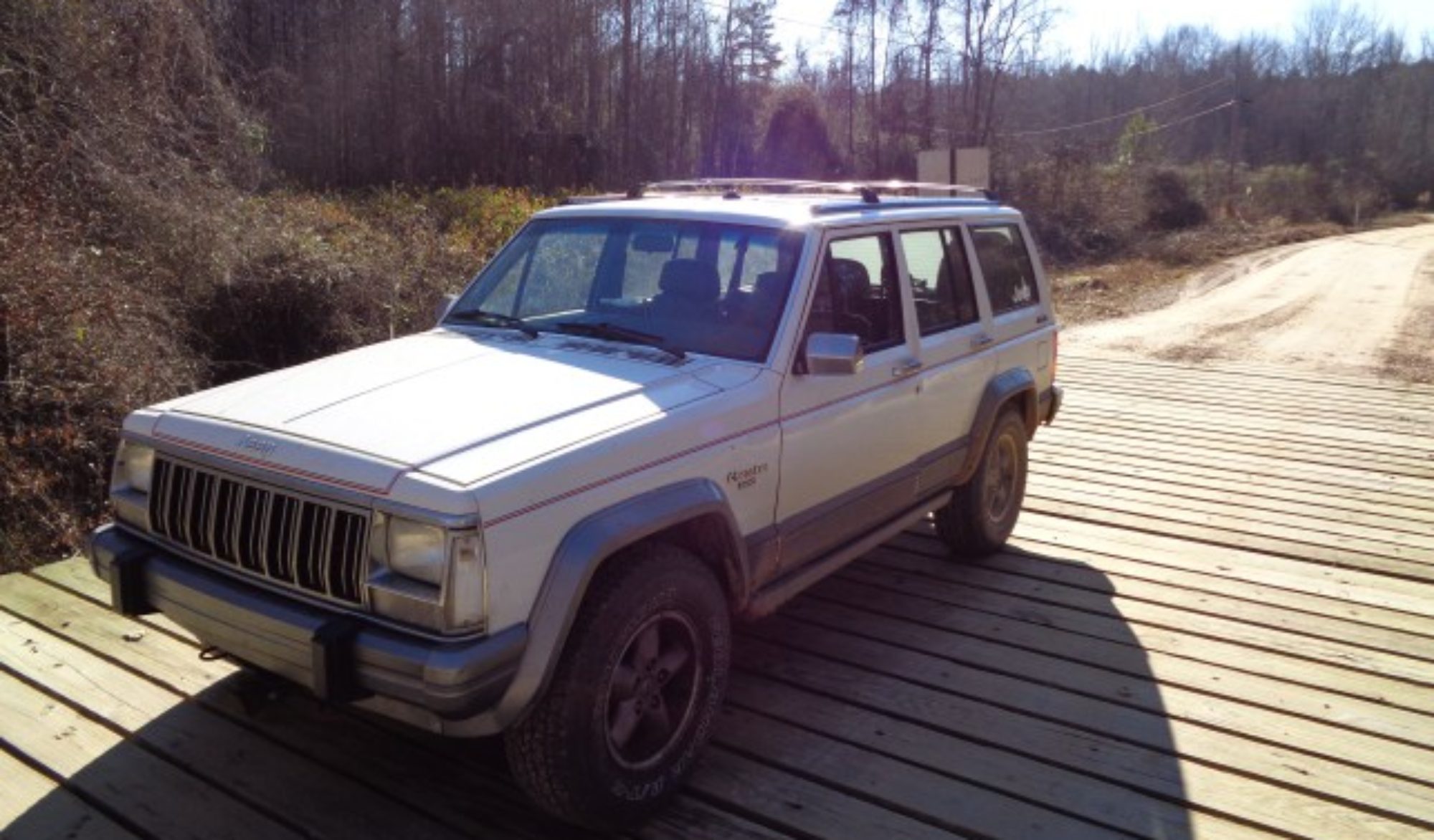
Curing a soft brake pedal on a Jeep Cherokee

Curing a soft brake pedal on a Jeep Cherokee

A soft brake pedal on a Jeep Cherokee can be very unnerving. The brakes are not exceptionally great on a Jeep Cherokee to begin with so when they are not working well, they can be downright scary.

The first place to look on a Cherokee is the adjustment of the rear drum brakes. If the shoes not adjusted right, then the pedal travel required to take up the slack will be enough to make the pedal feel soft.

To adjust the shoes, remove the rubber plug in the backing plate. Use a screwdriver or better yet a brake spoon to turn the spiked wheel. Turn it down to tighten the shoes. I usually tighten them until there is noticeable drag when turning the tire.

If the adjuster does not click when you turn the wheel, then the auto adjuster is likely not installed correctly. I see this problem often. The auto adjuster is operated by a cable the moves the adjuster wheel when the brakes are applied in reverse. The cable is routed over a small metal pivot point. Often the metal piece is not installed correctly under the spring and will allow slack in the cable. To fix, simply remove the spring and reposition the pivot plate in the hole and reinstall the spring. Just make sure the plate stays in place as you reattach the spring. That is the tricky part.

Also, if exposed to road salt, the adjuster screw may seize. Free it up with a rust dissolving oil like PB blaster or ATF. Coat it with grease when re installing to help prevent it seizing.

If the rear brakes are adjusted properly ands the pedal is still soft, you may have air in the lines or a leak. Check the rear wheel cylinders for evidence of leaks. Look for traces of fluid inside the brake drum. In the front, look for fluid around the calipers.

If you still have a soft pedal then you will need to bleed the brake system to purge any air. Air can get in if the master cylinder has ever run dry or if a brake line has been removed for any reason.

I prefer to use a pressure bleed system to bleed the brakes. I find it gets air out faster and I can do it without an assistant. I don’t like using vacuum bleeders because I have found that they can pull air in past aging wheel cylinder seals. If the seal are new this wont be a problem but old ones can allow in air during a vacuum bleed even if they don’t leak fluid out. The old “pump and bleed” method works if you have an assistant but is slower than a pressure bleed.

One last are to look at if you continue to have a soft pedal after checking all of the above is the front brake calipers themselves. Some Jeep calipers use a phenolic piston. The plastic in the piston can break down with heat and start to crumble. If the piston is breaking it may flake off a little each time the pedal is mashed.

Often the brake pedal firmness fades slowly and you get accustomed to it. Once a firm pedal is restored, you may be surprised at how well your Jeep stops and how easy the brakes are to modulate.

Jeep Cherokee Check Engine Light Codes.

Jeep Cherokee Check Engine Light Codes.

On the 91 to 96 Jeep Cherokees the ECU codes are accessible by watching the Check engine light blink on the dash. You cycle the key on and off three times leaving it on but not starting the Jeep. The codes will begin to flash on the dash light. Count the flashes and note the pause between flashes. For example the first code will usually be a 12. The light will blink once then pause and then blink twice more. The last code is always a 55.

Below are the instructions from the FSM on how to get the codes. Below that is the chart of what the codes mean. This chart was taken from the 94 FSM but all the HO engines will be similar.

ACCESSING DIAGNOSTIC TROUBLE CODES
A stored Diagnostic Trouble Code (DTC) can be displayed by cycling the ignition key On-Off-On-Off-On within three seconds and observing the Malfunction Indicator Lamp. This lamp was formerly referred to as the Check Engine Lamp. The lamp is located on the instrument panel.

11 * No Crank Reference Signal at PCM No crank reference signal detected during engine cranking.
12 * Battery Disconnect Direct battery input to PCM was disconnected within the last 50 Key-on cycles.
13 ** No Change in MAP From Start to Run No difference recognized between the engine MAP reading and the barometric (atmospheric) pressure reading at start-up.
14 ** MAP Sensor Voltage MAP sensor input below minimum acceptable voltage.
or
MAP sensor input above maximum acceptable voltage.
15 ** No Vehicle Speed Sensor Signal No vehicle distance (speed) sensor signal detected during road load conditions.
17 * Engine is Cold Too Long Engine coolant temperature remains below normal operating temperatures during vehicle travel (thermostat).
21 ** O2S Stays at Center Neither rich nor lean condition detected from the oxygen sensor input.
or
O2S Shorted to Voltage Oxygen sensor input voltage maintained above the normal operating range.
22 ** ECT Sensor Voltage Engine coolant temperature sensor input above maximum acceptable voltage.
or
Engine coolant temperature sensor input below minimum acceptable voltage.
23 ** Intake Air Temp Sensor
Voltage Low Intake air temperature sensor input below the minimum acceptable voltage.
or
Intake air temperature sensor input above the maximum acceptable voltage.
24 ** Throttle Position Sensor
Voltage Throttle position sensor input above the maximum acceptable voltage.
or
Throttle position sensor input below the minimum acceptable voltage.
25 ** Idle Air Control Motor
Circuits A shorted condition detected in one or more of the idle air control motor circuits.
27 * Injector Control Circuit Injector output driver does not respond properly to the control signal.
33 * A/C Clutch Relay Circuit An open or shorted condition detected in the A/C clutch relay circuit.
34 * Speed Control Solenoid
Circuits An open or shorted condition detected in the Speed Control vacuum or vent solenoid circuits.
or
Speed Control Switch Always Low
Speed Control switch input below the minimum acceptable voltage.
or
Speed Control Switch Always High
Speed Control switch input above the maximum acceptable voltage
35 * Rad Fan Control Relay
Circuits An open or shorted condition detected in the radiator fan relay circuit.

41 ** Generator Field Not
Switching Properly An open or shorted condition detected in the generator field control circuit
42 * Auto Shutdown Relay
Control Circuit An open or shorted condition detected in the auto shutdown relay circuit.
44 * Battery Temp Sensor
Volts out of Limit An open or shorted condition exists in the engine coolant temperature sensor circuit or a problem exists in the PCM’s battery temperature voltage circuit.
46 ** Charging System Voltage
Too High Battery voltage sense input above target charging voltage during engine
Operation
47 ** Charging System Voltage
Too Low Battery voltage sense input below target charging during engine operation.
Also, no significant change detected in battery voltage during active test of generator output.
51 ** O2S Signal Stays Below Center (Lean) Oxygen sensor signal input indicates lean air/fuel ratio condition during engine operation.
52 ** O2S Signal Stays Above Center (Rich) Oxygen sensor signal input indicates rich air/fuel ratio condition during
engine operation
53 * Internal PCM Failure
Or
PCM Failure SPI Communications PCM Internal fault condition detected.
or
PCM Internal fault condition detected.
54 * No Cam Sync Signal at
PCM No fuel sync (camshaft signal) detected during engine cranking.

55 . N/A Completion of diagnostic trouble code display on the Malfunction Indicator Lamp (Check Engine Lamp).
62 * PCM Failure SPI miles not stored Unsuccessful attempt to update SPI miles in the PCM EEPROM.

63 * PCM Failure EEPROM
Write Denied Unsuccessful attempt to write to an EEPROM location by the PCM.

* Check Engine Lamp will not illuminate at all times if this Diagnostic Trouble Code was recorded. Cycle Ignition key as described in manual and observe code flashed by Check Engine lamp.
** Check Engine Lamp will illuminate during engine operation if this Diagnostic Trouble Code was recorded.

Repairing my hacked WordPress site

Repairing my hacked WordPress site

Incorrect tiles and descriptions showing in Google search results

On October 14 my web traffic went down to less than a fourth of what it normally is. It took me a day or so to find out why. From my viewpoint my blog was fine. I finally did a google search on my most popular term expecting to see some drop in ranking. What I did see shocked me. Instead of the normal title and description, my blog post – still ranked number one, now said “Buy Viagra with a prescription.” The cached preview showed a page titled “SOMA for sale.”

However, if you actually clicked the link, which few people were doing, you got the original page. I was really confused.

I did some forum searches to see if other people we having the same problem with Google. It turned out they were but all the post I found were closed to comments and there were no answers. It took quite a bit of digging to find out what was causing the trouble. It turns out that 90% of the people who are reporting the problem are hosted on Godaddy like I am. There seems to be a security problem with he Godaddy servers. If my trouble returns, I will switch away from Godaddy. I hate to because I have had good service over the years from them but this lack of security is not acceptable. See this article for more info: http://smackdown.blogsblogsblogs.com/2010/05/13/hosting-with-godaddy-might-want-to-rethink-that-decision/

I followed the helpful guide at this link: http://smackdown.blogsblogsblogs.com/2008/06/24/how-to-completely-clean-your-hacked-wordpress-installation/

I began by making a copy of the wordpress directory on my web site. I used Filezilla to make the copy. Next I had to learn how to make a copy of my SQL data base. This took a lot of reading before I was able to learn to use the data base controller software on Godaddy’s hosting controls. I also installed a plug on the blog that makes backups. This let me make a copy of the database easily.

In the process, I accidentally changed the password on the database so my blog was down with errors overnight until I realized the problem. I had to edit the wp-config file to fix it. It took more reading to learn how to do that.

By this time I was more comfortable using the Hosting control software and I had backups of everything on my hard drive.

I had also figured out some of how the hack worked. Somehow they inserted code that redirected the traffic if the googlebot was doing the surfing. I used http://web-sniffer.net to find out what was being presented to Google.

I got the courage to hit delete and cleaned up all the old files from the server. I left the database in place.

Instead of letting Godaddy reinstall WordPress for me or trying to install it using Filezilla, I used a program called EasyWP WordPress Installer. It is available here: http://smackdown.blogsblogsblogs.com/2008/06/18/easywp-wordpress-installer-cause-there-aint-no-such-thing-as-too-easy/

I simply downloaded the file to my computer and then used Filezilla to copy it up to the server. I then used my browser to run it. I had to open a separate window in the browser to get the right data to access my SQL database on Godaddy. I had to change the hosting parameter that is says 99% don’t need to change but all the info was on the Godaddy info page. I just copied and pasted it into the form.

The program loaded up a fresh install of wordpress and sucked in all the data from my database. At first the blog was still blank because there was some error with the theme. I simply reloaded the theme and it cleared right up. I did have trouble for a while getting 404 errors on individual blog posts but that cleared upon its own after a few minutes.

I then checked through all the photo files in the backup of the upload directory. I had read where some people had had their site hacked by someone putting php files in the photo directories. I did not find any suspicious files so I uploaded all photos using filezilla. That took a few hours. Once the photo files were back in place the blog posts looked fine again.

I then began the tedious task of reinstalling plug ins. I tried to get fresh versions of as many as possible. However, there were a few that I had to restore form my back ups. I really have no way of knowing if they were clean. I have tried to use web sniffer to check regularly to see if any of the posts have been re corrupted but so far none have.

I have to give a special thanks to the folks at smackdown for providing lots of good and useful info on how to fix my blog. Hopefully Google will rescan the affected articles soon and correct their files.

I have learned a lot about how WordPress works and I will be able to rebuild the blog a lot faster next time. I used this event as an opportunity to clean up some plug ins I don’t use anymore and make some other changes to the blog I have wanted to do for a while.

I have no idea what the motivation for the hack is. There are no links I see that would make anyone any money or bring them clicks. The only issue for me was destroying my search results. I guess some people like to cause trouble just because they can.

Replacing the transmission filter on a Cadillac Catera

Replacing the transmission filter on a Cadillac Catera

A friend has a 1997 Cadillac Catera that he really enjoys driving despite its unreliable service history. Recently the car refused to move indicating a transmission problem. He son had suggested trying a filter and fluid swap first and had planned to do the work in his driveway. However, he soon found that the Catera’s 4L30E transmission is a strange animal. It does not have a dipstick to check the fluid or even an easy way to add fluid.

The fluid is checked and added through a hole in the side of the transmission pan. The car has to be level and the engine running to check the fluid. To make matters worse, the exhaust pipe passes just inches away from the filler plug. He decided to let me do the job on my lift.

I began by lifting the car and removing the plug in the side of the pan. Fluid gushed out indication that the level is higher with the engine off than when it is running. I realized it was going to be a challenge to refill it when I was done.

I then dropped the pan by removing the 10mm headed bolts. The pan separated easily and cleanly. I poured the remaining fluid into the oil catch can. The fluid did not smell burnt or look too dark.

I noticed right away however that the magnet in the pan was thick with metal particles. I took a cell phone photo and sent it to the owner. I then cleaned up the magnet and pan.

The filter is held in place by three long bolts that surprised me by having ½ inch heads rather than the 13mm I was expecting. Wikipedia says the transmission for these cars is built in France.

There were more metal flakes on top of the filter making me think the transmission is heavily damaged. However we decided to button it back up with the new filter and fluid just to see.

I tried using a long tube and a funnel but filling by gravity just took too long. I rigged up a pump using a pressure bottle and a tube attached to it. This sped up transferring the fluid greatly. It still took me an hour an a half to get all the fluid in. I had to climb a ladder to start the engine once the fluid filled the pan with it off. I was able to get all the fluid in before the exhaust got too hot.

I dropped it down and took it for a test drive. I noticed right away that the jerky motion it had when first changing directions was gone. The car now started off smoothly just like a Cadillac should. I took it out on the road and it shifted smoothly through all its gears. I was really surprised that just changing the filter cured it.

I still need to recheck the fluid level now that it has had a chance to circulate the fluid, but it looks like it will be able to go a few more miles. I told him to start shopping for a transmission just in case.

[phpbay]catera transmission, 10[/phpbay]

How to install a corner shower.

How to install a corner shower.

Obtain a corner shower kit. The kits come with the glass sides and door, the base and some water proof sheets for the other two walls. I have assembled ones from both Home Depot and Lowes. I don’t see much difference so get the one that you prefer.

Begin by locating the drain. If you are working with an existing drain, you may be limited. If not then plan you drain layout first and install the drain pipes with an appropriate trap. Most of the kits come with a drain fitting that will slip over a 2 inch pipe.

You will need two solid walls to form the corner for the shower. If you already have a corner then you can use that. If you are mounting the shower along a wall, you may need to build a new wall to form the corner. The new wall can be faced with sheetrock. The shower panels will glue over the wall to make it water proof.

Once the drain is in place securely mount the base. Make sure the base is level or at least drains to the hole. Pack gout or sand under the base to make sure it is firmly supported. Screw or press the drain in place and caulk it to the base.

If you are using an existing wall, cut back the sheet rock so that the base will be against the studs. If you are building a new wall, push the base against the studs and set the sheet rock on top of the base flange.

Install the shower faucet and plumbing. Be sure to test it all for leaks before sealing up the wall. I recently had a brand new faucet fail to shut off causing quiet a mess.

Make a cardboard template from the shower box to locate the holes for the shower nozzle and the knobs. Mark these on the sheet rock for the wall and on the plastic water proof sheet that will be on that side.

Set the corner piece up and mark it on the wall. Remove it and put glue o the wall for the water proof sides. I used the appropriate styrene compatible glue in a caulking gun to secure the walls to the sheet rock. Tape them in place to make sure they don’t sag. Make sure they are level and vertical.

Apply glue for the corner piece and glue it in place. Make sure you insert the towel bar (if it has one) before gluing it up.

Install the faucet knobs and trim, Install the shower head.

Mount the first track for the glass wall making sure it is vertical. Then mount the second one. Choose which way the door will hinge and install the magnet closer strip on the appropriate side. Attach the strips above and below the door opening to that side.

Install the glass wall in the end strip. Assemble the hinge side and slip it into place. Adjust the pieces so that they sit in the center of the base flange. Level the walls and anchor them to the end strips with the provided screws.

Cut the top piece to the correct length and bend it over the top of the walls. Anchor it with the provided screws. Be sure to compare the screws to the instructions so that you are using the correct length fasteners.

Attach and top plates that are provided for stiffeners. Then attach the lower hinge plate. Set the door in place and install the upper hinge plate to secure the door. Adjust the hinges so that the door swings smoothly.

Caulk the joints where the metal frames contact the plastic parts. Allow the caulk to set before testing the water.